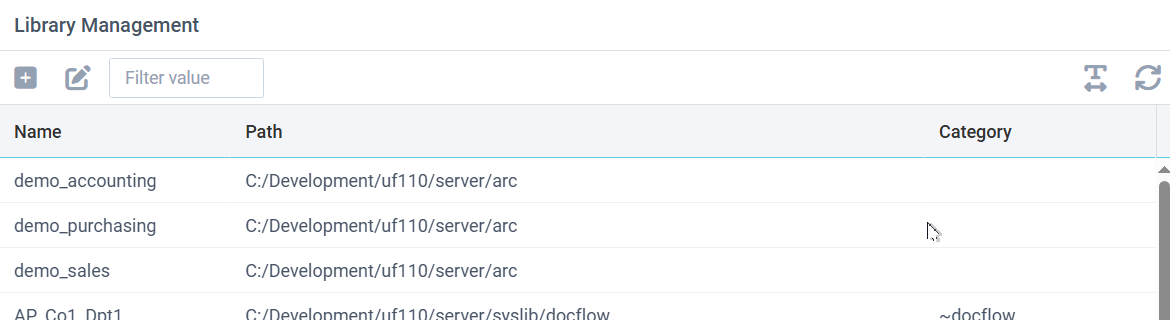
Library Maintenance is used to add, edit, and manage libraries. Libraries are paths on disk on the UnForm server, used to store document archives. Libraries contain several files and sub-directories, though it is important to note that document image files are not stored directly in the file system.
Adding a library will create an empty library path on disk. Deleting a library from this window will remove the library definition, but will not remove it from disk. To completely remove a library and its files from the system, you must remove its definition and then remove it manually from disk. Also, because libraries are automatically created when documents are added to them, often you will find a library appears without using the Add function of this window.
Default permissions are applied when a user or group has not been assigned specific permissions to the library. User and group permission assignments are defined in the user and group maintenance windows. Note that default permissions for an auto-created library are taken from the 'defperms=' setting in the uf110d.ini file.
To add a new library record, click the plus icon. To edit an existing library, double-click it or select it and click the edit/pencil icon.
Editing a Library Record
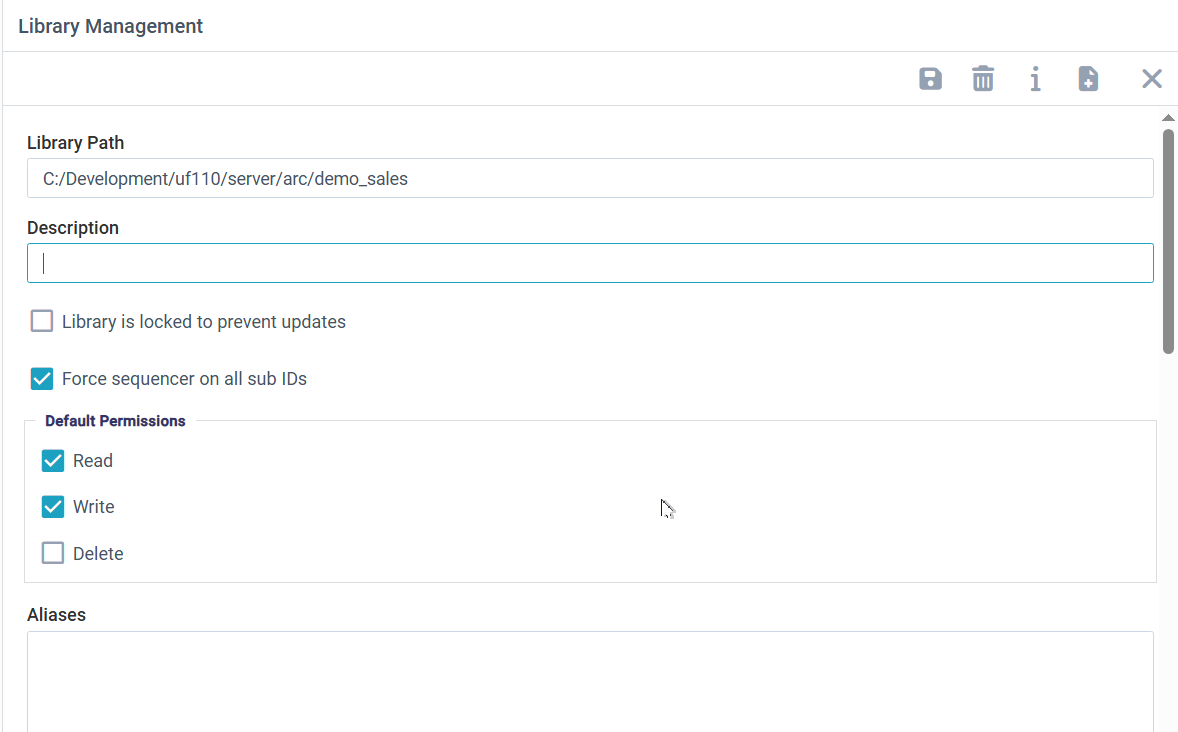
A library path is its location on the UnForm server. This should be a local disk on the server, not a network file share or similar, unless the library is considered read-only. Network file systems do not support the file management and file locks necessary to update records safely, resulting in frequent file corruption.
Note that a library path is not simply a collection of document files that can be navigated via the file system, but rather an integrated set of index files along with compressed and encrypted storage of document files.
Libraries can be locked to prevent future updating, by checking the "Library is locked" option.
Files added to the library are given subids below the main document identification. Those subids can be sequenced automatically to prevent overwriting.
Default permissions define the permissions for a user who is not granted explicit permissions through their own record or group membership.
Aliases is a list of alternate names for this library. When libraries are migrated between systems or renamed, external references to the old name will get errors indicating the library does not exist. To avoid this, add aliases to the active library. When an external reference, such as URL, uses an invalid library name, the system will scan aliases and use the correct library name that specifies that alias. Aliases should be full paths indicating the old name(s), one per line.
The Category field is used to provide structure to the browser interface when a library is to be selected. Libraries are listed in category groups, so you can establish groups like Sales or Accounting, or years, or whatever is appropriate for the libraries defined on a system.
You can define one or more DocTypes that can exist in the library. If the Enforce option is checked, then the list of doctypes is exclusive, and any new record must have one of these types, or else a default doctype value will be used.
Doctypes can be plain text, like "Invoice", or can define aliases as a comma-separated list.
Invoice=Invoices,invoice,invoices would automatically correct the three alternate spellings and use "Invoice" in their place.
Category indexes are multi-segmented indexes that provide custom navigation to users browsing the library. Categories should always begin with a static word as the first segment, and then additional segments can contain variable data that is specific to the document (up to 8 segments). You can define those structures in the library, and optionally enforce them so only categories that match an initial segment plus the number of defined additional segments are allowed.
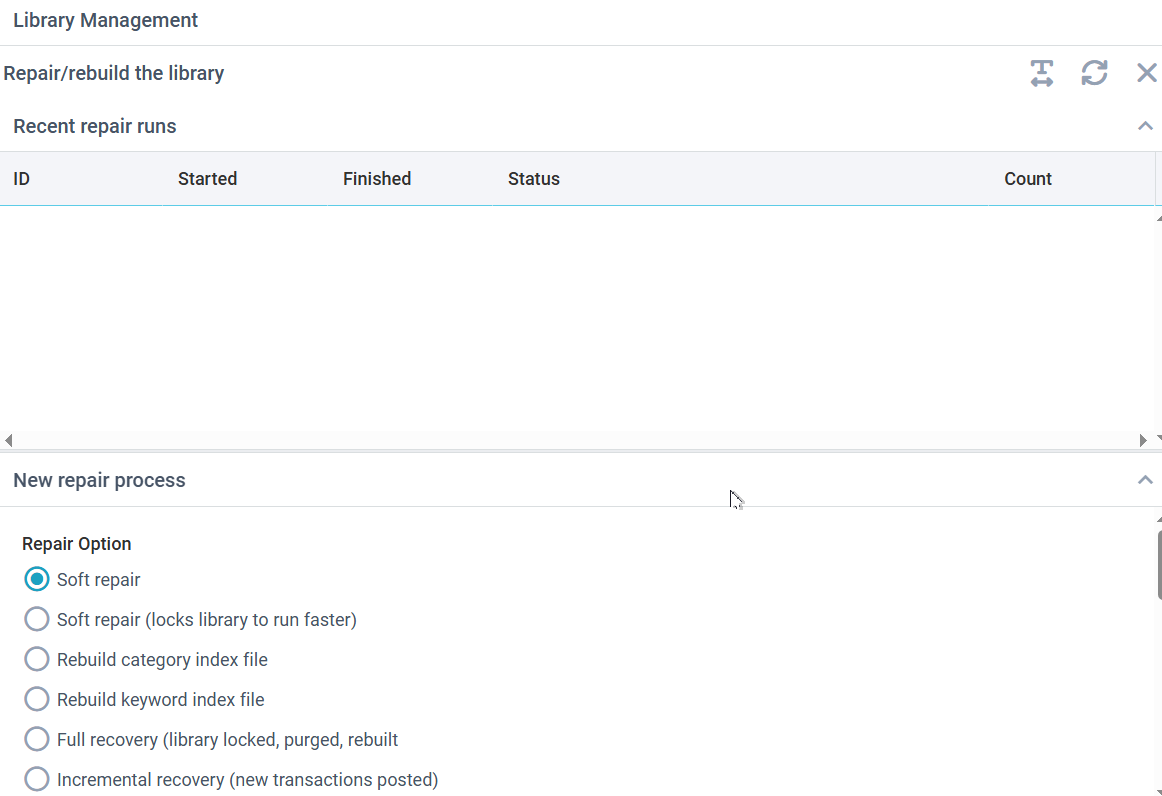
The editor toolbar provides two additional buttons for libraries. One is an information button that provides some details about the library, such as record counts and file sizes. There is also a repair button that opens a Repair/rebuild form.
Repair/Rebuild the Library
Repairs can be started from this form and run in background. The list of recent repair runs shows the status.
There are several types of repairs. A "soft repair" attempts to recreate the index structures of the library files. This often resolves minor corruption issues. You can do this while the library is active, or it can be run faster by locking the library while it runs.
Options to rebuild categories or keywords rebuild those particular index structures from data. The library is not locked during this process, but while it runs, those indexes will not be complete.
A final option is a full recovery. This option recreates the library structures on disk and recreates them from transaction history stored in the library's recover directory. The library is not available while this runs, and if the library has much recover data it can take a long time to finish. Therefore it is common to rename a corrupt library, allowing a new one to be created to store new records while the recovery runs on the old one. Once the recovery is done, the new and old data can be merged together (generally faster at that point to reverse their names and merge from the new data, since there will likely be far few records to copy).